
Getting set up with Salik in Dubai is refreshingly simple. All you really need to do is purchase a Salik tag and then activate it with your personal and vehicle details. The fastest ways to get this done are through the official Salik website or the Smart Salik app, which can have you ready to hit the road in just a few minutes.
Understanding Your Salik Registration Options
Driving on Dubai's major roads means you'll need a Salik account. It's the city's brilliant automated toll system that does away with old-school toll booths, keeping traffic flowing smoothly. The whole process is designed to be painless for residents and visitors alike.
With over 4.47 million active vehicles already registered, the system is a well-oiled machine, easily handling Dubai's growth and constant influx of new drivers. To see just how effective it is, you can explore detailed reports on Salik's performance.
Your first move is to get a Salik tag. It costs AED 100, and that price includes AED 50 of pre-loaded credit to get you started. Once you have the tag, it's time to activate it. You've got a few solid options here:
- Online Portal: Great if you prefer handling things on a desktop or laptop.
- Smart Salik App: The best choice for getting it done on the move, right from your phone.
- Authorised Dealers: A helpful option if you'd rather have someone assist you in person at places like petrol stations.
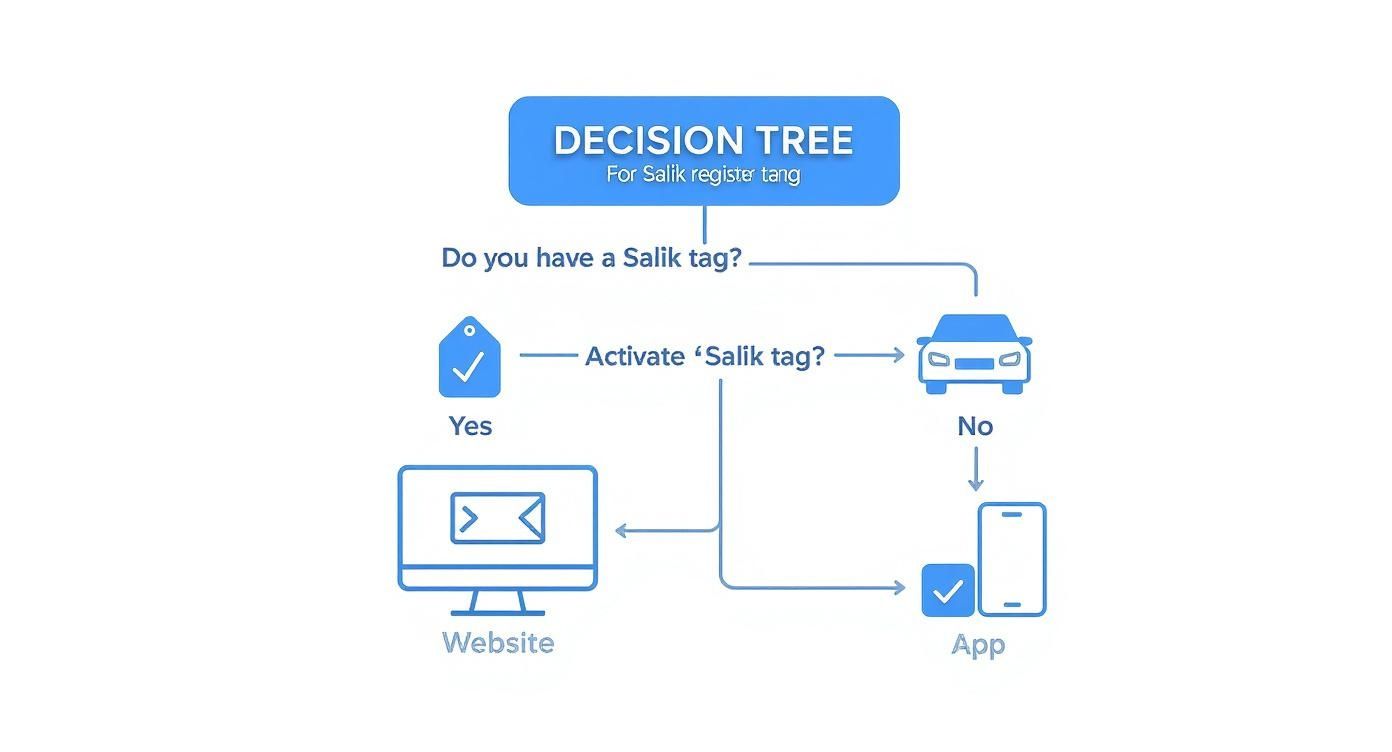
As you can see, the path is straightforward: get your tag, then pick your preferred digital platform to activate it. This is especially important for visitors to get right. For more context, our complete guide on driving in Dubai for tourists is packed with useful tips for a seamless trip.
Salik Registration Methods at a Glance
To make the choice even easier, here’s a quick breakdown of your options. Each method is straightforward, so it really comes down to your personal preference.
| Registration Method | Best For | What You Need | Activation Time |
|---|---|---|---|
| Online Portal | Desktop users who prefer a larger screen. | Salik tag number, vehicle details, personal ID. | Almost Instant |
| Smart Salik App | Registering on-the-go from your smartphone. | Same as online, with camera access for scanning. | Almost Instant |
| Authorised Dealer | In-person assistance and support. | Physical documents (vehicle registration, ID). | Usually Instant |
No matter which route you take, the goal is the same: a quick and easy setup. The system is designed for convenience, ensuring you can start driving through Dubai's toll gates without a second thought.
Getting Your Documents in Order for a Smooth Setup
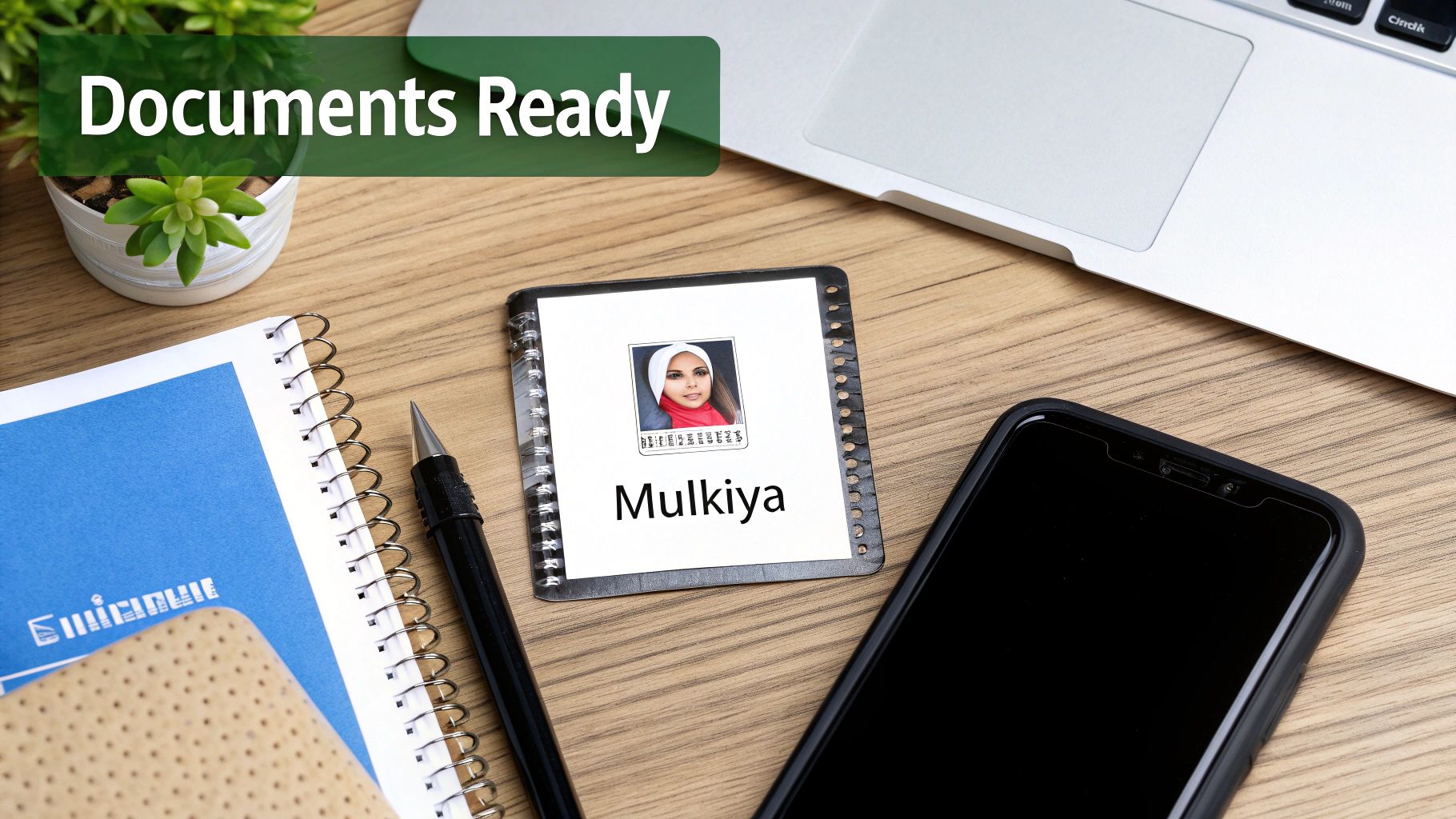
Before you even think about starting the Salik registration, a little bit of prep work will save you a world of hassle. Having the right documents ready to go turns what could be a frustrating process into a quick five-minute job. It's like laying out your ingredients before you start cooking—it just makes everything flow better.
For residents driving their own car, the list of what you need is refreshingly simple. All you'll need is your vehicle’s registration card (Mulkiya) and a valid Emirates ID. That's it. You’ll also want to have a payment method handy to add some balance to your new prepaid account.
Here’s a pro tip from someone who's done this a few times: take clear, well-lit photos of your Mulkiya and Emirates ID with your phone before you start. If you're using the Smart Salik app, this makes the upload process completely painless.
What About for Tourists and Rental Cars?
If you’re visiting Dubai and driving one of our Uptown Rent A Car vehicles, it gets even easier. We take care of the entire Salik registration for our fleet, so you don't have to lift a finger or worry about any of the paperwork.
Any toll charges you incur during your rental period will simply be calculated and added to your final bill. No fuss, no extra steps.
Of course, you’ll still need the correct driving license to rent a car here in the first place. For all the details on that, you can check out our comprehensive guide on international driving permit requirements.
Key Takeaway: For your personal car, just have your Mulkiya and Emirates ID ready. For our rental customers, we’ve got the Salik setup completely covered. This way, you can hit the road and enjoy Dubai without any administrative headaches from the moment you get the keys.
Registering Your Salik Tag Online
If you'd rather use a proper keyboard and a bigger screen, heading to the official Salik website is probably the most direct way to get set up. Honestly, you can get it all done in the time it takes to finish a cup of coffee. The website is surprisingly straightforward and walks you through everything, so you won't get lost.
When you land on the homepage, look for a button that says something like "Activate Tag". They usually make this pretty obvious for new users. Clicking that will kick off the whole process, where you'll link the new tag to your car and your personal details.
Getting Your Tag and Vehicle Details Sorted
This is the part where you need the actual Salik tag you've just bought. Grab the packaging because you'll need two key bits of information from it: the tag number and the activation key.
Once you have those handy, the system will ask for a few more things:
- Your Salik Tag Number: This is the unique code printed on your tag.
- Your Vehicle's Plate Details: You'll need to pop in your plate number, which emirate it was issued in, and the vehicle category (e.g., private).
- Your Personal Info: They'll need your name and, most importantly, your mobile number. This is essential for getting those low-balance warnings later on.
After you've filled all that in, you'll need to upload copies of your Mulkiya (that's your vehicle registration card) and your Emirates ID. A quick tip: save clear photos of these on your computer beforehand. It makes this part so much quicker.
A Quick Tip from Experience: Really, really double-check the mobile number you enter. I've seen it countless times – a simple typo here is the number one reason people miss the low-balance SMS alerts and end up with avoidable fines.
The last thing to do is set up a password for your online account and handle the payment. The standard online package costs AED 120. That amount covers AED 50 for the tag itself, another AED 50 which goes straight onto your account as your starting balance, and a final AED 20 for the delivery fee.
As soon as your payment goes through, you’ll get an SMS and an email confirming your tag is live. That’s it! Your account is active, and you're good to go through any Salik toll gate right away.
Using the Smart Salik App for On-the-Go Registration
If you're like me and prefer to manage everything from your phone, the Smart Salik app is your best bet. It completely transforms the registration process from a chore into something you can knock out in minutes – literally while you’re waiting for your morning coffee. Just grab it from your device’s app store, and you’re ready to roll.
The app walks you through setting up an account and activating your new tag. The real game-changer here is its ability to use your phone's camera to scan your Mulkiya (that’s your vehicle registration card). This feature is brilliant; it automatically fills in most of the necessary details, which seriously cuts down on typing and saves you from frustrating typos.
Navigating the App and Finalising Setup
Once your Mulkiya is scanned, you'll just need to punch in your Salik tag number and activation key, which you can find on the tag’s packaging. After that, it's the usual drill: confirm your personal details and set a password to keep your account secure.
The last step is adding some credit to your account. The app accepts a few different payment methods, so you can top up instantly. From start to finish, the whole thing can genuinely be done in under ten minutes.
Pro Tip: Make sure you're on a stable internet connection before you begin. There’s nothing more annoying than an upload failing halfway through, forcing you to start the whole process over. Trust me, a solid Wi-Fi connection is much more reliable than mobile data for this.
As soon as your payment goes through, you’ll get a notification confirming that your tag is active. That's it – you're officially ready to cruise through any Salik gate in Dubai. The app then becomes your go-to hub for checking your balance, seeing your trip history, and topping up on the move, making it an essential tool for any driver in the city.
How to Manage Your Account and Avoid Fines
Getting your Salik tag activated is a great first step, but the real secret to a hassle-free drive in Dubai is staying on top of your account. It's an easy thing to forget, but letting it slide can lead to surprise fines that really put a dent in an otherwise perfect day.
The most common trap people fall into is letting their balance run low. An insufficient balance is the number one reason for getting a Salik violation. To put it in perspective, violations from low balances or unregistered tags recently topped 800,000 in a single quarter. That shows you just how easy it is to get caught out.
Set Up Automatic Top-Ups
If you want to completely remove the risk of running low on credit, setting up an automatic top-up is an absolute game-changer. You can easily link your credit card or bank account right from the Smart Salik app or their website.
Once it's set up, your account will automatically add a pre-set amount of credit whenever your balance dips below a certain point. It's a "set it and forget it" solution that means you're always ready to hit the road without a second thought.
Key Takeaway: Being proactive with your Salik account isn't just about dodging fines—it’s about keeping your mind on what matters: the drive. A simple auto top-up gives you total peace of mind.
Adding More Vehicles
Got more than one car in the family? Or maybe you're managing a few vehicles for your business? Salik keeps things simple. You can add multiple vehicles under a single account using the app or the online portal.
This brings all your toll charges into one easy-to-manage place, making it a breeze to keep track of everything.
Properly looking after your account is just as important as the initial setup. For more advice on navigating the city’s roads like a pro, check out our guide on essential Dubai driving tips to stay safe and confident behind the wheel.
Common Questions About Salik Registration
Even with a pretty straightforward setup, it’s completely normal to have a few questions about how the Salik system works day-to-day. Getting a handle on the rules can save you from unexpected fines and make sure your drives through Dubai are totally stress-free.
Let’s clear up some of the most common things people ask.
One of the biggest worries for new drivers is what happens if they accidentally drive through a Salik gate without a tag. The good news is, there's a bit of a grace period. You have 10 working days from that first pass to get a Salik tag bought and registered. If you miss that window, you'll be looking at a fine, which starts at AED 100 for the first time it happens.
Topping Up and Transferring Tags
Keeping your Salik account in the green is essential. Luckily, they make it easy to top up your balance.
- Go Digital: The quickest ways are using the Smart Salik app or heading to the official website.
- Kiosks & Cards: You can also pop by an RTA kiosk or just grab a recharge card from most petrol stations.
- Set It and Forget It: For total peace of mind, set up an automatic top-up through the app.
A frequent question we get is whether you can just move a Salik tag from your old car to a new one. The answer here is a definite no. Each tag is linked specifically to one vehicle's registration and is designed to break if you try to peel it off. If you sell your car or get a new one, you'll need to purchase a brand-new tag for the new vehicle.
Key Takeaway: Your Salik tag is non-transferable. Think of it as part of the car's official identity, not yours. Always get a new tag for a new vehicle to avoid any registration headaches or potential fines down the road.
Checking your balance couldn't be simpler. The fastest way is to log into the Smart Salik app or their website. If you’ve registered your mobile number correctly, you’ll also get a handy SMS alert when your balance starts running low, giving you plenty of notice to top up.
Ready to experience Dubai's roads in ultimate style and comfort? With Uptown Rent A Car, you don't have to worry about Salik registration—we handle it all for you. Browse our exclusive fleet of luxury vehicles and book your dream car online today.