

Before you even think about registering for Abu Dhabi's toll system, it helps to get your head around what it actually is. The DARB toll system isn't your old-school setup with booths and barriers; it's a modern, gateless solution built to manage traffic across Abu Dhabi’s key bridges during the busiest times of the day, all done using automatic number plate recognition.
Getting to Grips With the DARB Toll System
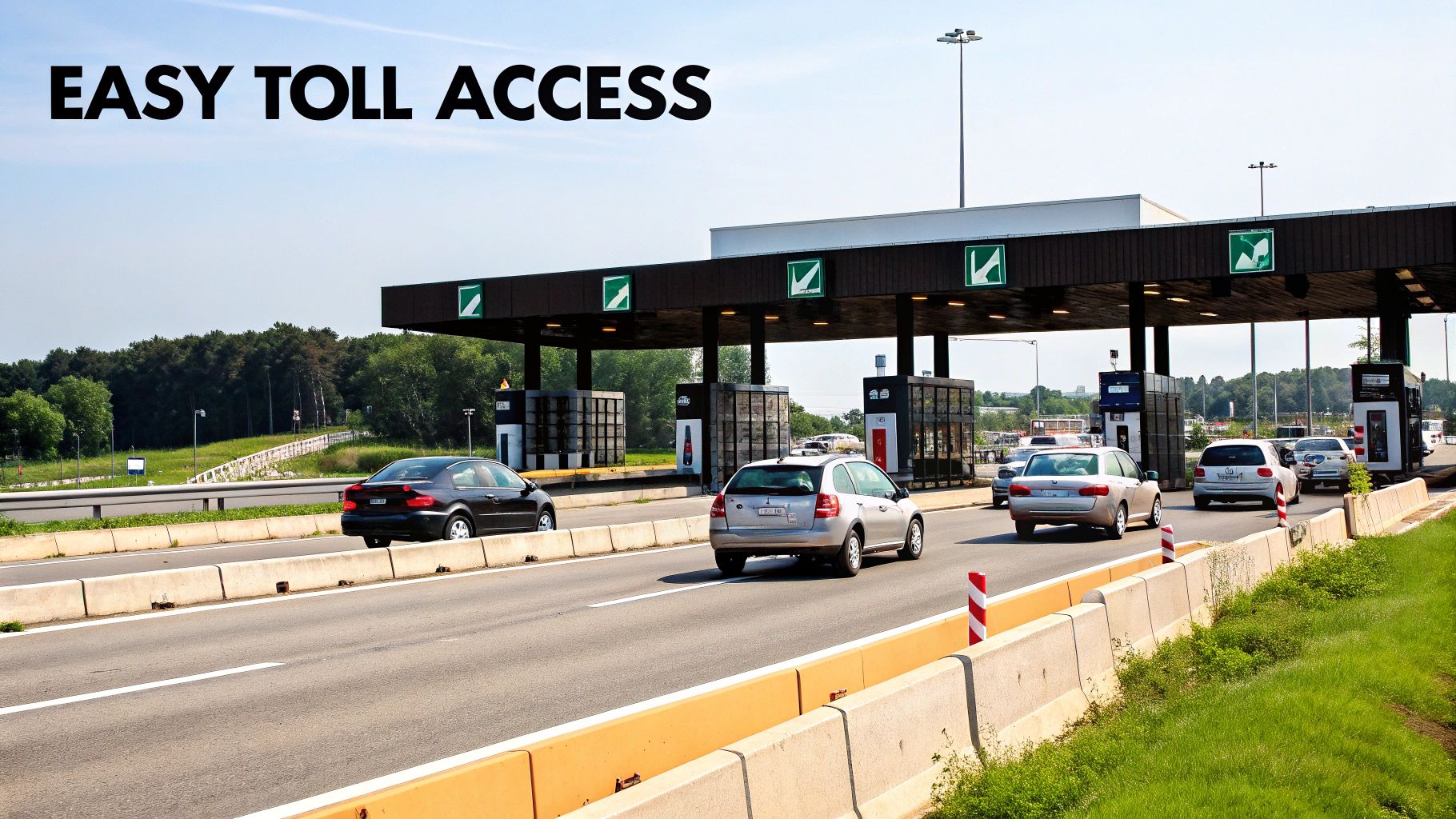
If you're planning to drive in the capital, understanding the DARB system is a must. Unlike traditional toll booths where you might have to stop or slow down for a tag to register, DARB is completely seamless. Cameras are set up on four major bridges—Al Maqta, Mussafah, Sheikh Zayed, and Sheikh Khalifa—and they simply scan your vehicle's licence plate as you drive by.
This smart system went live in January 2021 as a way to cut down on traffic jams and gently encourage people to consider public transport. By using some pretty clever number plate recognition tech, it gets rid of the need for physical tags, making the drive smoother for everyone.
How the Tolls Actually Work
The system is smart about when it charges you. It’s designed to target only the busiest times on the road, so you won't be paying a toll for every single trip across these bridges. Knowing the operating hours is the key to keeping your travel costs down.
Charges only kick in during peak hours:
- Morning Rush: 7:00 AM to 9:00 AM (Saturday to Thursday)
- Evening Rush: 5:00 PM to 7:00 PM (Saturday to Thursday)
Passing through a gate during these windows will cost you AED 4. The good news is there's a daily cap of AED 16 per vehicle, no matter how many times you cross. Better still, no tolls are charged on Fridays or any public holidays, giving you a free pass for weekend travel. For visitors, it's always useful to compare this with other local driving rules; our guide on driving in Dubai for tourists offers valuable insights.
Key Takeaway: The DARB system isn't a 24/7 toll. It's specifically aimed at rush hour traffic to make commutes better for everyone. That’s why getting registered is so important for hassle-free travel when the roads are at their busiest.
DARB System Essentials At a Glance
Here is a quick summary of the key details you need to know about Abu Dhabi's toll system.
| Feature | Details |
|---|---|
| System Name | DARB |
| Technology | Gateless, Automatic Number Plate Recognition (ANPR) |
| Toll Locations | Al Maqta, Mussafah, Sheikh Zayed, and Sheikh Khalifa bridges |
| Peak Hours (Charged) | 7:00 AM – 9:00 AM & 5:00 PM – 7:00 PM, Saturday to Thursday |
| Cost Per Crossing | AED 4 (during peak hours) |
| Daily Cap | AED 16 per vehicle |
| Exemptions | Fridays, public holidays, and outside of peak hours |
| Registration Fee | AED 100 per vehicle (includes AED 50 as an initial balance) |
This table breaks down the essentials, making it easy to remember how the system works before you hit the road.
Who Needs a DARB Account
First things first, let's figure out if you even need to create a DARB account. The rules are pretty clear-cut, but they do change depending on where your car is registered.
If you’re driving a car with an Abu Dhabi licence plate, you can relax. An account is automatically created for you when the vehicle is registered, so there's nothing more you need to do. Simple as that.
However, if your car is registered in another Emirate—like Dubai, Sharjah, or anywhere else—you’ll have to manually register for a DARB account. You must get this sorted before you drive through any of the toll gates during peak hours. This applies to all types of vehicles, not just private cars.
Fleets and Rental Cars
For businesses managing a fleet of company vehicles, there's an establishment registration process. This ensures all your corporate cars are compliant and managed under a single account. It involves a bit more paperwork, like providing a trade licence, but it streamlines everything for your entire fleet.
What about tourists or residents using a rental? The rental agency handles it. Reputable companies will have their entire fleet registered in the DARB system. Any toll charges your car racks up are logged and then typically added to your final rental bill, sometimes with a small administrative fee.
The bottom line is straightforward: if your vehicle passes through a DARB gate when tolls are active, it needs to be registered. The system is built to cover everyone from daily commuters to occasional visitors, keeping traffic flowing smoothly.
Understanding Toll Exemptions
Now, not everyone has to pay the tolls. Abu Dhabi offers exemptions for certain groups and vehicles to support the community. These drivers still need a DARB account, but they can apply for an exemption through the official portal to have the fees waived.
The main exemptions include:
- Ambulances and Police vehicles
- Abu Dhabi licenced taxis
- Public transport and school buses
- Motorbikes
On top of this, the DARB system includes exemptions for social support. People of Determination, senior citizens, retirees, and qualifying low-income Emirati families are all exempt from paying tolls, which is a great reflection of the UAE's social welfare initiatives. You can dive deeper into these policies by checking out the official guidelines on government news portals.
How to Get Your Vehicle Registered on DARB
Getting set up with the DARB toll system in Abu Dhabi is actually pretty painless, whether you’re using their website or the slick mobile app. The whole thing is designed to be simple, so let's walk through exactly how it's done.
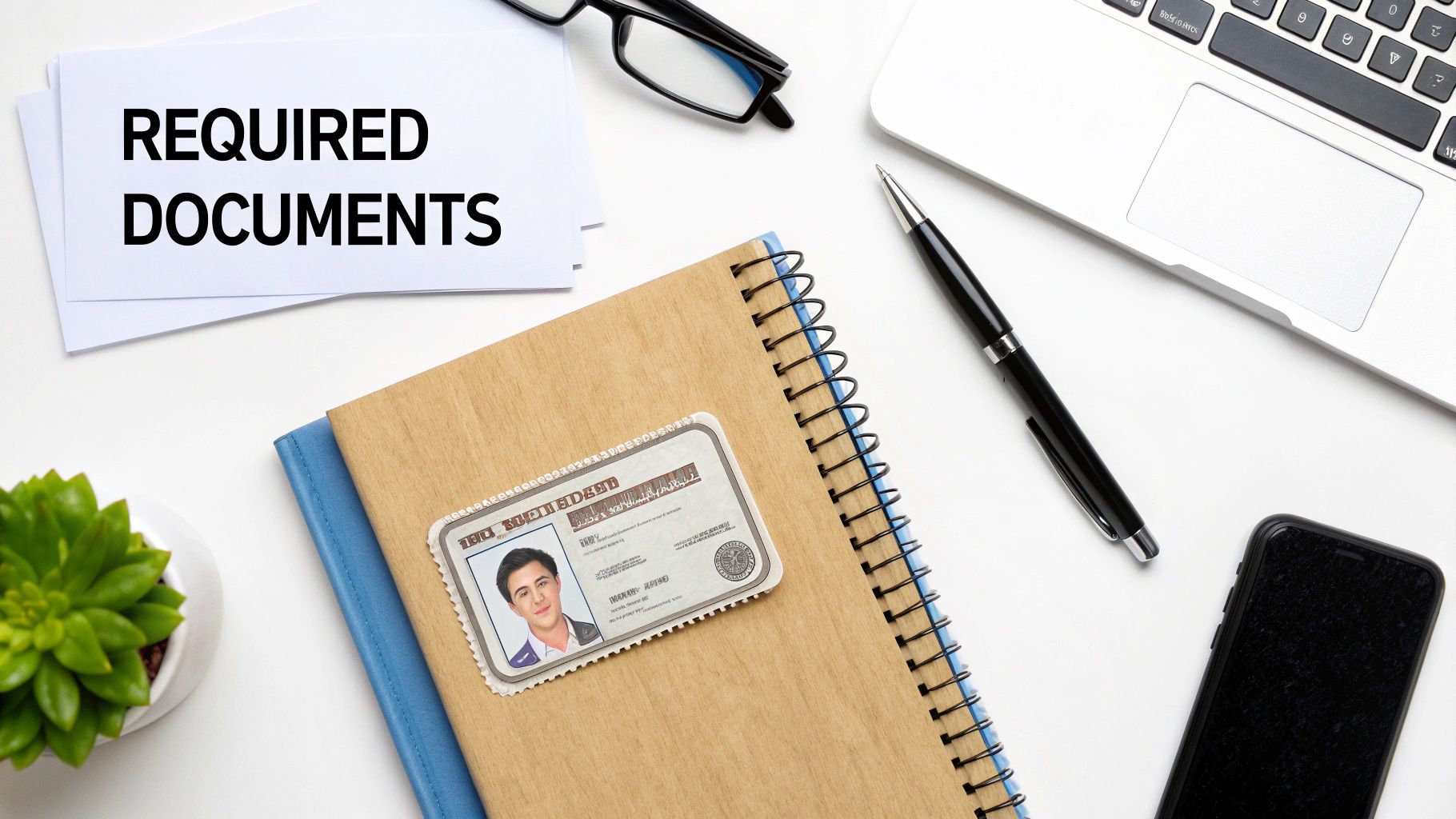
First things first, get your documents in order before you even start. It’s not much, but having everything on hand will make the process fly by.
- A valid Emirates ID
- Your vehicle's Traffic File Number (TFN), which you can find on your registration card (Mulkiya)
- An active mobile number and email address linked to you
- A credit or debit card for the initial payment
Honestly, the biggest hang-up for most people is digging around for the TFN. Just find it on your Mulkiya before you begin, and you'll save yourself a headache.
Creating Your Individual Account
To kick things off, head over to the official DARB portal or grab the app from your phone's app store. Look for the "Create New Account" button and choose "Individual." This is where you'll punch in the details you just gathered.
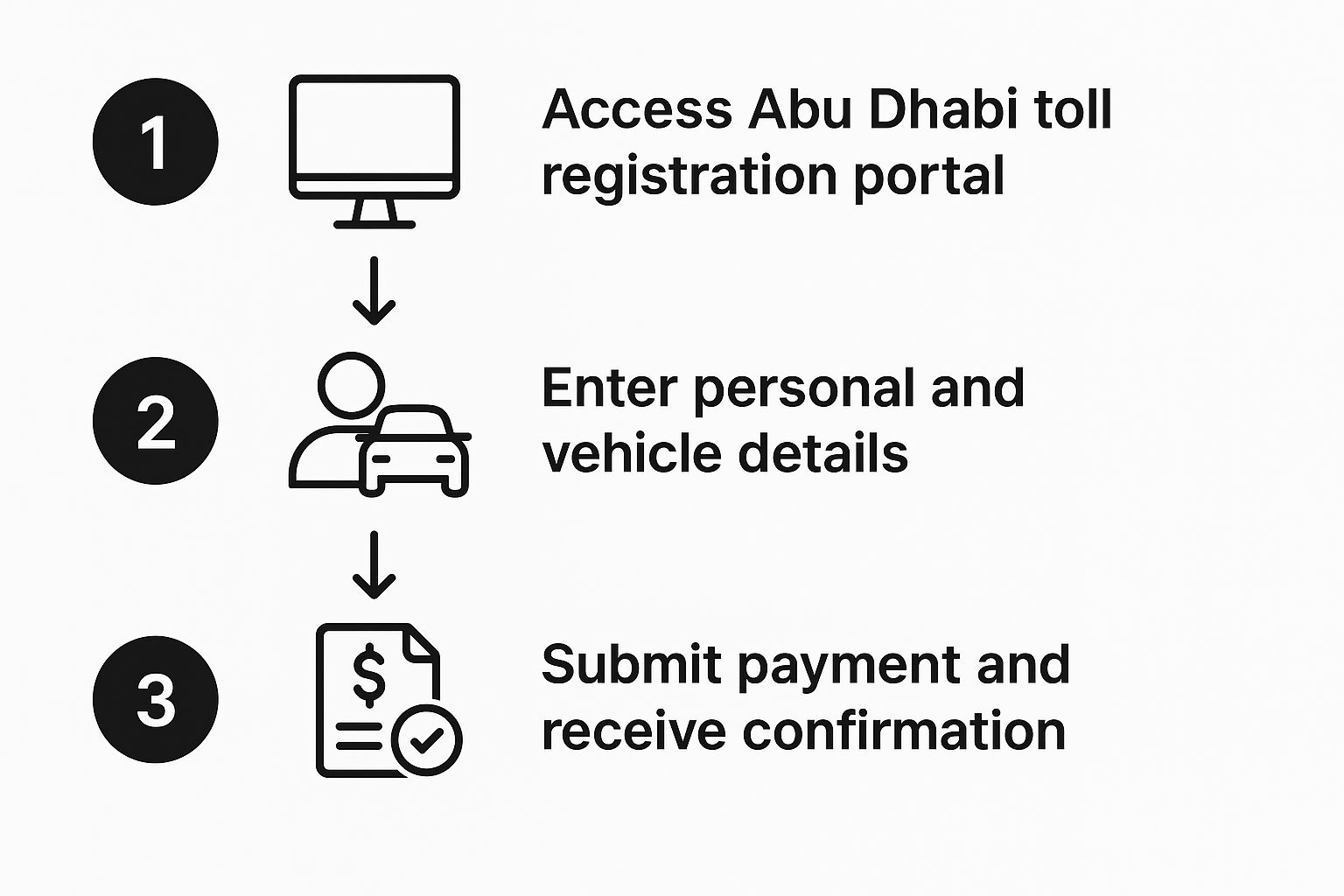
The system will ask for your email first, sending you a One-Time Password (OTP) to make sure it's really you. After that, you'll enter your Traffic File Number and mobile number. Another OTP will pop up on your phone, which is a nice bit of two-factor security. Choose a password, and that's it—your account is created.
The two-step verification using both your email and phone is a solid security measure. It ensures no one else can link an account to your traffic file without your permission.
Activating and Loading Up Your Account
Your account exists, but it's not quite ready for the road. The last step is to add your vehicle and pay the registration fee. There's an initial fee of AED 100 for each vehicle you register.
But here’s the good part: it's not just a fee. AED 50 of that amount goes straight into your DARB wallet, giving you an immediate balance to cover your first few toll crossings.
Log back into your new account and find the "Register Vehicle" option. You'll input your car's details and then be prompted for payment. Use your credit card to settle the fee. Once the transaction goes through, you're all set. Your vehicle is officially registered, and your account is active and funded. You’re ready to hit the road.
Managing Your DARB Fees and Account Balance
Getting registered with DARB is the first hurdle, but keeping your account in good standing is what really counts. Nobody wants to get hit with unnecessary fines, so let's break down how to manage your account and stay ahead of the game.
The initial registration for each vehicle will set you back AED 100. Think of it as a starter pack – it's not just an admin fee. AED 50 of that is immediately loaded into your account's digital wallet, so you're all set for your first few trips through the toll gates.
Tolls are only active during peak hours, and each pass costs a flat AED 4. The good news is there's a daily cap of AED 16 per vehicle. So even on a day packed with driving, your toll costs won't spiral out of control.
To give you a clearer picture, here’s a simple breakdown of the costs for a single private vehicle.
DARB Fee and Toll Cost Breakdown
| Fee Type | Amount (AED) | Frequency |
|---|---|---|
| Initial Registration Fee | 100 | One-time per vehicle |
| Initial Wallet Credit | 50 | Credited from registration fee |
| Toll Gate Fee (Peak Hours) | 4 | Per crossing |
| Daily Toll Cap | 16 | Per vehicle, per day |
This table makes it easy to see exactly where your money is going when you first set up and start using the system.
Keeping Your Wallet Topped Up
The quickest way to rack up fines is by letting your account balance run dry. To avoid this, you’ll need a simple strategy for keeping your digital wallet topped up, and thankfully, the DARB portal makes this easy.
You can pop onto the website or mobile app and do a quick one-time top-up with a credit or debit card. You can add any amount from AED 50 all the way up to AED 10,000, which gives you plenty of flexibility.
For total peace of mind, though, the auto top-up feature is a lifesaver.
You can set it to automatically add a pre-selected amount to your wallet whenever your balance dips below a certain point. It’s a classic "set it and forget it" function that ensures you’re always covered. This is particularly handy for long-term drivers, and many people using affordable monthly car rental find it invaluable for managing their day-to-day driving costs without any hassle.
Pro Tip: Always enable low-balance notifications. You can get an SMS or email when your funds are running low. It's the perfect backup plan if you're not keen on the auto-recharge and prefer to top up manually.
Staying proactive is the key. Make it a habit to log in now and then, glance at your transaction history, and double-check your balance. A few minutes of prevention can save you a lot of headaches and penalties down the road.
Solving Common Registration Problems
Even a process as straightforward as the Abu Dhabi toll registration can hit a snag every now and then. It's usually something small—a simple typo or a misunderstanding of what information is needed—but it can still be frustrating. Let’s walk through the most common issues people face and how to fix them.
One of the classic errors is the "invalid traffic file number." You'll find this number on your vehicle registration card (your Mulkiya), and it's absolutely essential. The first thing to do is double-check you're not accidentally entering your licence number instead. If you're sure it's correct and the system still rejects it, this might point to a mismatch with the official records. At that point, you'll need to contact the transport authority to get it sorted.
Payment gateway errors are another frequent headache. If your payment fails, don't just hit "retry" over and over. Take a moment. First, confirm all your card details are correct and that you have enough funds. Sometimes the problem is on the bank's end, and just waiting a few minutes before trying again is all it takes.
A key takeaway here is to be patient and precise. Most registration problems aren't major system failures but small data entry mistakes. Verifying each detail before you submit can save you a lot of time and hassle.
When Vehicle Details Don't Match
So, what happens if you've entered everything perfectly, but the system says your vehicle details don't match? This often pops up if there's been a recent change in ownership or registration. The system's database simply might not have caught up yet.
If you find yourself in this situation, your best bet is to reach out directly to DARB support. This is becoming more common, especially considering Abu Dhabi's population has surged by 51% in the last decade, which means a much higher volume of registrations and a greater chance for data lags. You can learn more about this growth on The National News.
And a quick note for drivers with non-local licences: make sure you meet all the local driving standards. For more on that, check out our guide on international driving permit requirements.
Your DARB Registration Questions Answered
Even with a pretty straightforward process, it's natural for questions about the Abu Dhabi toll registration to pop up. To clear up any lingering confusion, we’ve put together answers for the most common queries about the DARB system. Think of this as your quick guide to handling those "what if" scenarios on the road.
What Happens If I Drive Through a DARB Gate Unregistered?
So, you’ve passed through a toll gate during peak hours and realised your vehicle isn't registered. First off, don’t panic. The system is actually quite forgiving and gives you a 10-day grace period to get your Abu Dhabi toll registration sorted out.
But you'll want to act fast. If you miss that 10-day window, the fines will start. It begins with a AED 100 penalty for the first time. A second pass will cost you AED 200, and every time after that, it's another AED 400. As you can see, those fines can stack up quickly, so getting registered promptly is your best move.
Do I Need a Separate DARB Account for Each Car?
Thankfully, no. You only need one personal DARB account. From there, you can add and manage all the vehicles you own under that single profile, which makes keeping an eye on payments and topping up your wallet incredibly simple. Just remember that the initial AED 100 registration fee (which includes the AED 50 wallet credit) applies to each new vehicle you add.
One account, multiple vehicles. This setup is all about convenience, letting you manage all your cars from a single dashboard without juggling different logins. It’s a really practical approach, especially for families with more than one car.
How Do Tolls Work for Rental Cars?
This is something the rental companies handle themselves. By law, they have to register their entire fleet in the DARB system. When you drive one of their cars through a toll gate, the charge is automatically logged against that specific vehicle.
The rental company settles the fees directly. When you return the car, they'll typically add the total toll amount you racked up during your rental period to your final bill, sometimes with a small admin fee tacked on. It's always a good idea to clarify this with your rental agent before you drive off.
Can I Register a Car with a Non-Abu Dhabi Plate?
Absolutely. The rules are the same for everyone. All vehicles driving in Abu Dhabi during toll hours must be registered with DARB, no matter which Emirate they're from. The online portal is built to handle this—you just select your vehicle's Emirate of registration when you're setting things up. This ensures every driver on the road is on the same page with the toll regulations.
Planning your UAE trip and need a ride that truly matches the city's vibe? At Uptown Rent A Car, we offer a stunning fleet of premium and luxury vehicles to make your journey unforgettable. Browse our collection and book your dream car online today at https://www.uptowndxb.com.